10 Best Printers
From leading brands and best sellers available on the web.45,000 reviews analyzed
Our Top Picks
Winner
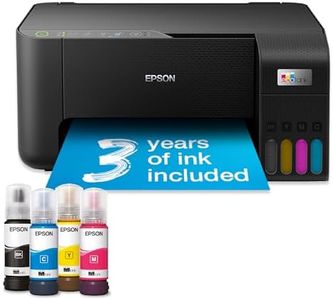
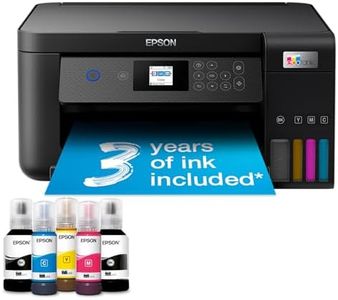
EcoTank ET-2860 A4 Multifunction Wi-Fi Ink Tank Printer, With Up To 3 Years Of Ink Included

The Epson EcoTank ET-2860 is a great pick if you want to keep printing costs low without sacrificing quality. It’s an inkjet printer with refillable ink tanks, which means instead of buying pricey cartridges, you refill with bottles that last a very long time — one set can print thousands of pages, roughly equal to 72 standard cartridges. This really helps save money over time, especially if you print regularly. The print quality is solid, offering sharp black and color prints with resolutions up to 1200 dpi (black) and 5760 x 1440 dpi (color), so photos and documents look good.
It's fairly fast too, with up to 33 pages per minute in black and 15 in color, which is decent for home or small office tasks but not for heavy-duty jobs. The 100-sheet paper tray is suitable for everyday use, though it might feel limited if you print large volumes. Connectivity is modern and flexible with Wi-Fi and Wi-Fi Direct, allowing easy printing from phones, tablets, or laptops using Epson’s app, which also handles scanning and copying. It lacks automatic double-sided printing, which could be a downside if you often print two-sided documents.
Its compact size fits well on a desk without taking up much space. This printer performs well for users who want affordable, hassle-free printing with good quality and wireless convenience but don’t need heavy commercial features or duplex printing.
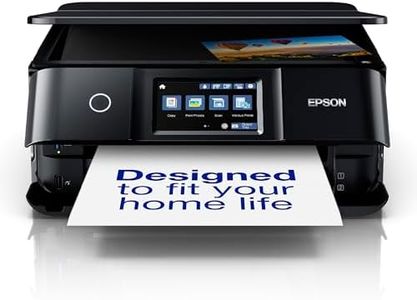
Epson EcoTank ET-8550 A3+ Wi-Fi Ink Tank Photo Printer
 Epson
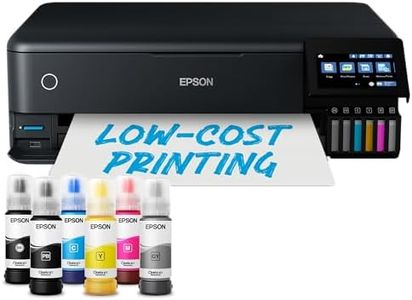
EpsonThe Epson EcoTank ET-8550 is a versatile ink tank photo printer that boasts a 6-colour ink system, which includes a new grey ink for impressive black and white photos, and is capable of producing high-quality prints up to A3+ size. This makes it a strong candidate for photography enthusiasts looking for vibrant, long-lasting images. The printer offers a mix of connectivity options, including Wi-Fi, Ethernet, and direct printing from SD cards and USB drives, which provides flexibility for various home and small office setups.
The print quality is notable, although the print speed is moderate, with a maximum of 16 pages per minute for monochrome and 12 pages per minute for colour. This might not be ideal for users needing rapid output, particularly in busy office environments.
One of the printer's standout features is its low operating cost, thanks to the ink tank system that can print up to 2,300 photos before needing a refill, which is both economical and environmentally friendly. Additionally, the included Epson Smart Panel app allows for easy control from smart devices, expanding the printer's usability.
In terms of paper handling, it accommodates various media sizes and types, including a rear tray for specialty media, which is beneficial for artistic projects. The inclusion of heat-free technology ensures energy efficiency and consistent print speeds, though users should be aware of the weight, as at 11.1 kilograms, it is relatively hefty for a home printer.
The printer's DPI might not match some high-end photo printers, yet its balance of cost efficiency, quality output, and connectivity makes it a solid option for hobbyists and small businesses that prioritize printing versatility and operational savings over sheer speed.
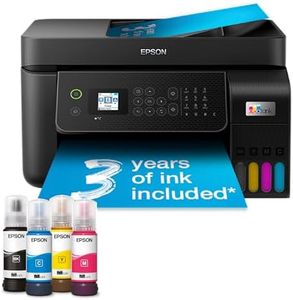
Epson EcoTank ET-4800 A4 Multifunction Wi-Fi Ink Tank Printer, With Up To 3 Years Of Ink Included
The Epson EcoTank ET-4800 is a solid choice for home users and small offices looking to save money on ink costs while still getting reliable printing performance. Thanks to its refillable ink tanks, it can print thousands of pages without needing cartridge replacements, which can reduce your ongoing expenses by up to 90%. It includes up to 3 years' worth of ink right out of the box, making it very economical over time. Print quality is excellent for an inkjet with a sharp resolution of up to 5760 x 1440 DPI, suitable for clear text and decent photo printing.
The print speed is moderate, reaching up to 33 pages per minute in black and 15 pages per minute in color, which is fine for everyday tasks but might feel slow if you regularly print large volumes quickly. The printer is quite versatile with Wi-Fi, Wi-Fi Direct, and Ethernet connectivity, allowing easy printing from laptops, smartphones, or tablets. It also features a 30-page automatic document feeder and supports double-sided printing, which helps with multitasking and saving paper. Its compact design fits well in tight spaces, though the 100-sheet paper tray might require frequent refills for heavy use.
The included Epson Smart Panel app adds convenience by letting you control and troubleshoot the printer from your phone. While the initial setup is straightforward, this printer is best suited to users who don’t need very fast printing speeds or advanced photo-quality output. If you want a printer mainly for occasional home or office documents with low running costs, the ET-4800 is a reliable and user-friendly option.